Showing posts with label app. Show all posts

Lucky Patcher v4.4.8


Description
Lucky Patcher is a great Android tool to remove ads, modify Permissions, bypass premium applications license verification, and more.

To use this application, you need a rooted device. 

For Remove License Verification:
- Use as target only original apk files signed by the developer;
- Tap to Software and select "Remove License Verification!";
- Select "Auto mode" and test Application with Internet;
- If the result is negative, Select "Extreme Auto mode";
- If you're lucky, your program will be registered;
- To return Application to its original state, you need to tap "Remove ODEX with Changes".

For Remove Google Ads:
- Tap to Software and select "Remove Google Ads!";
- Run and test Application with Internet;
- If you're lucky, Google Ads disappeared;
- To return Application to its original state, you need to tap "Remove ODEX with Changes".

For Custom Patch:
- Tap to Software and select "Custom Patch!";
- Run and test Application with Internet;
- If you're lucky, patch work;
- To return Application to its original state, you need to tap "Remove ODEX with Changes".

For Change Permissions:
- Be very careful doing this. Since the on some devices, this method can lead to a circular reboot or other undesirable consequences. Make a backup system before you try to disable permission. - Tap to Software and select "Change Permissions";
- Tap to Permission for disable (red);
- Tap to Permission for enable (green);
- You must tap Apply (Reboot).

For Create Modified APK:
- Tap to Software and select "Create Modified APK";
- Select Patch for Modification of APK;
- Modified installation file will be in folder /sdcard/LuckPatcher/Modified/ ;
- You should know that a rebuild apk-file is not the same as the patch is already installed application. Since the as opposed to simply patch the application is very easy to test yourself to changes, and thus work correctly so faly The install will not..

The Patcher need root access to work!

Sort Description:
-----------------
Green - This program has a great chance to become a registered;
Yellow - For this Program found custom patch in folder /sdcard/LuckyPatcher/;
Cyan - For this Program found Google Ads;
Magenta - This program are in BootList;
Impossible - This program has no chance of becoming a registered. The exception is the application of two parts (Application and APK-Pro-Key). In such cases, patch both sides, either one of them.;
Orange - System Application. Be very careful when performing any operations with them, it could end very badly for Application or Operating System.;
BootList - a list of programs that will patch the boot device. At this point, it use only for Applications requiring the correction of libraries ".so". But custom patches do not exist, except for the old Titanium backup, which is no longer in use.;

Star - means that dalvik-cache applications has been fixed(ODEX with Changes created), and this in turn means that the application will remain in its current state until the first update, or delete an application. If such ODEX removed with "Remove ODEX with Changes", then the application will be fully restored to the state before the patch. When you update an application, problems can arise: the market will swear that he had not enough space, run Lucky Patcher and close and try again to install the application, if such an error is written to the uninstalled application select the settings Luckypatcher "Troubleshooting->Remove fixes and backups (to update app)" - all fixes dalvik-cache for all programs will be removed;Lucky Patcher is a great Android tool to remove ads, modify Permissions, bypass premium applications license verification, and more.

To use this application, you need a rooted device. 

For Remove License Verification:
- Use as target only original apk files signed by the developer;
- Tap to Software and select "Remove License Verification!";
- Select "Auto mode" and test Application with Internet;
- If the result is negative, Select "Extreme Auto mode";
- If you're lucky, your program will be registered;
- To return Application to its original state, you need to tap "Remove ODEX with Changes".

For Remove Google Ads:
- Tap to Software and select "Remove Google Ads!";
- Run and test Application with Internet;
- If you're lucky, Google Ads disappeared;
- To return Application to its original state, you need to tap "Remove ODEX with Changes".

For Custom Patch:
- Tap to Software and select "Custom Patch!";
- Run and test Application with Internet;
- If you're lucky, patch work;
- To return Application to its original state, you need to tap "Remove ODEX with Changes".

For Change Permissions:
- Be very careful doing this. Since the on some devices, this method can lead to a circular reboot or other undesirable consequences. Make a backup system before you try to disable permission. - Tap to Software and select "Change Permissions";
- Tap to Permission for disable (red);
- Tap to Permission for enable (green);
- You must tap Apply (Reboot).

For Create Modified APK:
- Tap to Software and select "Create Modified APK";
- Select Patch for Modification of APK;
- Modified installation file will be in folder /sdcard/LuckPatcher/Modified/ ;
- You should know that a rebuild apk-file is not the same as the patch is already installed application. Since the as opposed to simply patch the application is very easy to test yourself to changes, and thus work correctly so faly The install will not..

The Patcher need root access to work!

Sort Description:
-----------------
Green - This program has a great chance to become a registered;
Yellow - For this Program found custom patch in folder /sdcard/LuckyPatcher/;
Cyan - For this Program found Google Ads;
Magenta - This program are in BootList;
Impossible - This program has no chance of becoming a registered. The exception is the application of two parts (Application and APK-Pro-Key). In such cases, patch both sides, either one of them.;
Orange - System Application. Be very careful when performing any operations with them, it could end very badly for Application or Operating System.;
BootList - a list of programs that will patch the boot device. At this point, it use only for Applications requiring the correction of libraries ".so". But custom patches do not exist, except for the old Titanium backup, which is no longer in use.;
Star - means that dalvik-cache applications has been fixed(ODEX with Changes created), and this in turn means that the application will remain in its current state until the first update, or delete an application. If such ODEX removed with "Remove ODEX with Changes", then the application will be fully restored to the state before the patch. When you update an application, problems can arise: the market will swear that he had not enough space, run Lucky Patcher and close and try again to install the application, if such an error is written to the uninstalled application select the settings Luckypatcher "Troubleshooting->Remove fixes and backups (to update app)" - all fixes dalvik-cache for all programs will be removed.

Download

Adobe Photoshop Touch v1.4.1


Description
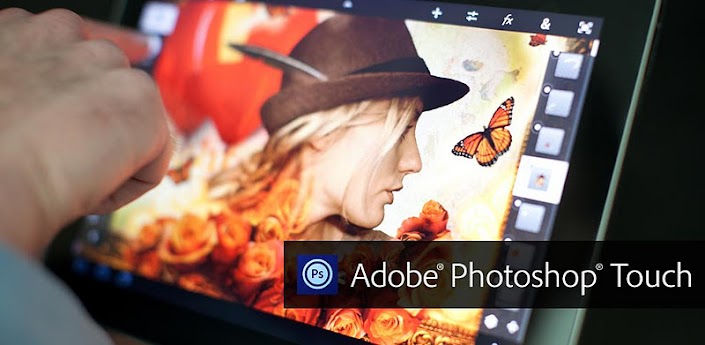
Transform your images with core Adobe Photoshop features in an app designed for tablets.
Combine images, apply professional effects, share results with friends and family through Facebook and Twitter – all from the convenience of your tablet.
• Use popular Photoshop features designed for the tablet such as layers, selection tools, adjustments, and filters to create mind-blowing images.
• Use your tablet camera to fill an area on a layer with the unique camera fill feature.
• Select part of an image to extract by scribbling with the Scribble Selection tool. With Refine Edge, use your fingertip to capture even hard-to-select image elements, like hair, with ease.
• Work on high-resolution images while maintaining the highest image quality. Supports images up to 12 megapixels.
• Follow step-by-step tutorials to easily learn techniques the pros use for great-looking results.
• Search and acquire images with the integrated Google Image Search.
• Browse an inspirational gallery for the styles and results you'd like to achieve.
• Automatically sync projects to Adobe Creative Cloud* and open layered files from Adobe Photoshop Touch in Photoshop CS6 or Photoshop CS5.1.
• Free membership to Creative Cloud gives you 2GB of cloud storage plus the ability to sync between tablet and desktop, access files from the web, and easily share with others.
Changelog
• Optimized user interface for 7-inch devices (minimum screen resolution 1024x600)
• Smoother brush strokes
• Two new Effects: Lens Flare (under “&” menu) and Stamp Pattern
• Improved grid layout for projects, tutorials, and images
• New support for sharing to Facebook, Twitter, and other registered apps
• Quick access to last 5 colors with new shortcut (drag down on Color)
• Various bug fixes
Download
 

Snap Camera HDR v3.3.0


Description
A Fast HDR camera experience with regular updates and new features added all the time.
Now with optional Android 4.3 style user interface
Snap Camera lets you take pictures and record video with a single click, no cluttered preview screen, just the two buttons you really need.
Snap Camera's interface is based on the camera included in Android 4.2 (jelly bean) on the Nexus 4 but with many extra features.
If you want to test this camera before buying, please install the trial version..
The trial version has all the features of the paid app but will only start in Airplane mode.
Snap Camera has a simple, powerful user interface featuring:
* Touch to focus
* Pinch to zoom
* Swipe to review
* Long press to adjust photo settings with the photo controller.
The photo controller includes settings for:
* Colour and Contrast (if supported by the hardware).
* Silent Shutter
* Burst Mode
* Self Timer
* Stable Shot
* Panorama mode
* Flash mode
* Whitebalance
* Exposure
* Grid lines
* Fast picture mode
* HDR
* Additional Settings
The additional settings menu gives you access to many extra settings.
* Picture and Video Size
* Scene mode
* Self Timer delay
* Burst Mode settings
* Time Lapse
* Still and Video Focus Modes
* JPEG Quality
* Effects
* ISO
* Anti-banding
* Scene Detection
* Video Bitrate, Format and Codec
* Audio Settings
The photo editor lets you:
* Add colour effects
* Add a border
* Crop, Rotate, Mirror
* Straighten
* Add image effects
* Histogram Modification
* Vignette
Additional Features
- You can see what effects will be applied and undo an effect at any time from the history menu
- Share an image with any other app such as Facebook or Google+ by clicking on the share icon
- Create panoramas by selecting the panorama icon (Android 4.0 and above)
- Fast picture mode instantly captures photos at the preview resolution.
- Capture still snapshots during video recording (if supported)
- Use the volume buttons to focus and take a picture or zoom
- Auto torch mode for low light video recording
- Use the advanced video settings to record video in resolutions not allowed by other cameras. For example, this gives you 720p video recording on the Nexus 7.
- Stable shot mode only takes a photo when the camera is completely still,
High Dynamic Range (HDR)
HDR is a feature that lets you take pictures of scenes with very dark and very light areas. Swipe up on the controller to enable HDR mode. The app takes two photos at different exposures and combines them to make one HDR photo.
Changelog
3.3.0:
Add sharpness setting
Change position of new controller when opened from indicator icon
Fix bug if orientation is changed while the camera is opened
Allow self timer with burst mode
Change the direction of the new controller if it's opened on the left third of the screen
Add exif information for HDR Images
Fix preview on Motorolla phones with 960x540 displays
Fix for bad preview on Galaxy Nexus and RAZR when taking a photo after a video
Download
 

Advanced Task Manager Pro v3.1.3


Description
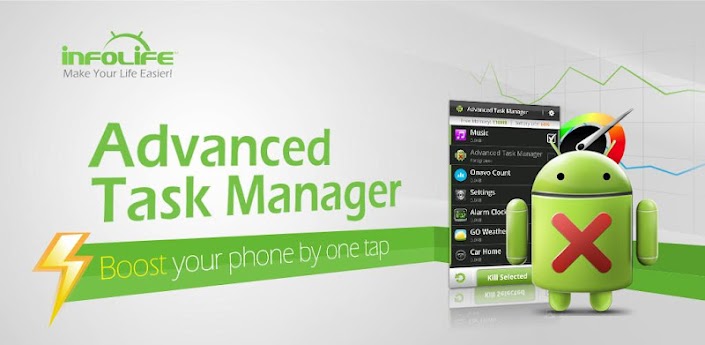
Kill tasks,free memory,speed up phone,save battery.
#Feature
*Kill selected tasks
*Android optimizer & booster
*Ignore apps when kill tasks
*Auto kill tasks on every screen off
*Regular kill
*Startup Kill
*One click task kill widget
*Quick uninstaller
*Show battery life
*Support android 1.5/1.6/2.2/2.3/3.x/4.0
*Ad Free
#FAQ
Q: Why do apps restart again?
A: Some apps are restarted by system events apps cannot be prevented from restarting because of the limitation of the system. It is suggested to enable auto kill in settings, and it will kill tasks on every screen off. It will help to save battery life and release memory for the phone.
Q: How can I add app to ignore list?
A: You can long click on the task that you want to ignore, then you will get a poped up context menu, click "Ignore". The ignored apps will not be listed in the task list, and will never be killed. You can manage the ignored apps in settings.
Q: How can I manage startup apps?
There is "Startup Kill" in settings, it can help you to kill tasks on system startup.
Changelog
-v3.0.5
#Fix a FC bug

-v3.0.4
#Game Booster Addon
Download
>> Howfile
 

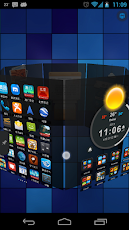
Next Launcher 3D v1.38


Description
The top rated 3D launcher - Next Launcher 3D, will show you how 3D dynamic and highly customizable home screen replacement app could redefine your Android Launcher - Extend imagination, extend capabilities! Now, upgrade your outdated launcher to Next Launcher and embrace the next generation of user interface to your phone! 
Features
√ Stereoscopic Screen Preview
Stunning 3D screen preview with dazzling animation of screen switching enables you to access to, add, set home screen, and delete any screen on your launcher in a second.
√Theme Mix Mode
Choose different theme styles for different elements (icon, folder, dock bar, and preview screen panel) respectively. Design the ultimate UI look you desire with Theme Mix Mode.
√Enhanced Home Screen Transition Effect Border
Enable it through Next Key and experience stronger 3D visual effect when flipping home screen.
√Elements Floating Mode 
Show how cool your phone can be to your friends!
All the elements on home screen float like the cloud. Blow your microphone or make voices to fasten the floating speed.
√ Multi-select Apps
After selecting one app, use sliding gesture to multi-select the other apps. The fantastic interaction designs not only to wow people, but save efforts to fulfill batch operation on Android launcher home.
√ Customizing Home Screen
Packed with unlimited screen layout function, you may place icons, folders, or widgets randomly on your screen. Change 3D themes and wallpapers to reclaim your launcher home interface.
√ Icons
Icons support rotation, replace, Multi-select, align and so on. Operation is easy and fantastic. Multi-select apps, long press one of the selected apps to gather them, and draw a preview path by selecting operation from app icon menu.
√ Rotatable Dock
Invert the dock upward or downward to switch among Android launcher home, preview and editing modes.
√ App Drawer
Icons can be arranged by name or time. You can create folders by overlapping app icons. That batch operation to add icons on Android home is also available.
√ 3D Widgets & Themes & Live Wallpapers
Popular widgets in 3D space including switch, music, and clock have been released, with weather, task manager, calendar, notification widgets coming soon. Numerous of 3D themes and live wallpapers are being prepared for the launcher.
Redefine Your Android phone with Next Launcher 3D right now!
Changelog
V1.38
1.(New) New operation of icon effects setting (click Next key -> Icon effects)
2.(Reduce) Reloading frequency
3.(Improve)UI2.0
4.(Fixed) Some FC bugs
Download
>> Howfile
>> Zippyshare


OfficeSuite Pro 7 (PDF & HD) v7.2.1283


Description
The world’s No. 1 mobile office today!
# Installed on over 100 million devices in more than 205 countries
# Over 40,000 registrations per day
# No. 1 app in Google Play Business category
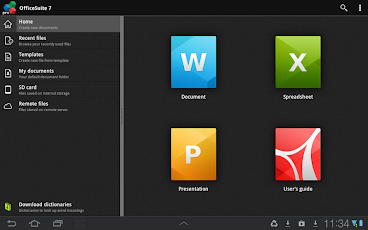
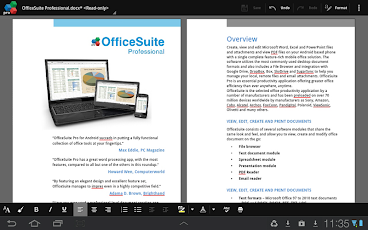
Made by MobiSystems, OfficeSuite Pro allows you to view, create, edit, print and share Word, Excel and PowerPoint files on the go. You can also open attachments and see PDF files on an Android based phone or tablet with our feature-rich mobile office solution.
OfficeSuite Pro includes a File Browser and integration with Cloud service leaders: Box, DropBox, Google Drive, SkyDrive and SugarSync to give users a multitude of options on how to manage files and attachments.
---OfficeSuite Pro 7 Out Now! New Features---
* New and improved UI
* Side bar navigation in the File Browser for quick access to different folders and remote third party cloud services
* Templates - OfficeSuite Pro 7 users can benefit from a wide range of templates, from Resume and Invoice templates to Travel Planner and Weight Loss Tracker templates, among others
* Extended Cloud support - now compatible with Microsoft SkyDrive. Google Drive support has been improved, by adding folder support, thus allowing for optimized document view
Docs Editor:
* Styles - apply MS Word styles or styles used in the document
* Table design – ability to fashion an inserted table as per our library of tailor-made designs
* Formulas (display only)
* Format painter
Spreadsheet Editor:
* Improved selection of parameters in functions
Slides Editor:
* Animations
PDF Viewing:
* A new PDF engine using library from Adobe, providing instant opening of large PDF files
* Find/Find Next
--File Formats Supported--
* Text format - DOC, DOCX, DOCM, RTF, TXT, LOG
* Spreadsheet - XLS, XLSX, XLSM, CSV
* Presentation - PPT, PPTX, PPS, PPSX, PPTM, PPSM
* Other formats - PDF, EML, ZIP
--Easy File Access and Sharing--
* With the integrated File Browser you can easily access, modify and share your local or Cloud stored files. OfficeSuite integrates with Google Drive, DropBox, Box, SugarSync and SkyDrive
* Easily open email attachments
* Work with Outlook EML files
* Share documents via Email or Bluetooth
--Intuitive and Intelligent Design--
* OfficeSuite 7 comes with new intuitive design and user experience allowing quick and intuitive workflow while you manage your files or create and modify documents.
* New side bar gives instant access to local and cloud stored files.
* Two-finger zoom, multi-touch support, context toolbars and popup menus make your work with OfficeSuite quick and fun.
--OfficeSuite Extensions--
* QuickSpell – fully integrated with OfficeSuite Pro QuickSpell will help you dramatically improve your typing accuracy.
* Font Pack – allows you to use Microsoft most used fonts in OfficeSuite text documents.
* Oxford Dictionary of English - look up word meaning in office text documents in the most popular English dictionary
** Note that OfficeSuite Extensions are sold separately. Purchasing any of the extensions is optional.**
Compatible with Sony Ericsson LiveDock™ Multimedia station.
com.sonyericsson.extras.ATTACHED
Works great on a big screen with MHL!
Changelog
Version 7.2.1283
Bugs fixed
Version 7.2.1276
* Ability to insert shapes in Word
* Right to left writing in Word for Hebrew and Arabic languages
* Export spreadsheets to PDF
* Digital keyboard for easier numbers input in Excel
* Ability to insert shapes in slides
* Export of PowerPoint documents to PDF
* Grid View in the File Explorer
* Printing to HP printers (requires HP ePrint)
Download
 

Lucky Patcher v3.3.4


Description
You can use this patcher to break some apps' Android Market License Verification.(for Rooted devices)
1. Added support for TitaniumBackup, GoldenDict and another program with a Custom Patches. Custom Patches is patches for this specific program written by me or by anyone in the file format txt. (These files should be put in the directory / sdcard / LuckyPatcher / - it is automatically created Lucky patcher and already has a few patches).
2. Program, which is custom patch in the folder / sdcard / LuckyPatcher / move to the top of the list and are marked in yellow.
3. In order to apply a custom patch to the program, you need long tapnut on it and select the menu "Custom patch apply!"
4. If the patch is run for all the inscriptions will be green, but in the end it will give greetings and perhaps instructions, it will depend on person has made a custom patch.
5. If you press the "Add for patch on reboot!" on the program contains a custom patch, boot the device will use this custom patch, rather than the standard rezalka license.
6. Updated a little bit About.
- Icon artifacts removed
- Signatures of advertising changed, dual file manager does not have to fall.
- Added menu item to launch applications
- Modified the signature of advertising again, try to applications that previously flew.
- Removed bug removal of non-existent Root rights, and even in version 1.0.3 it worked fine, but the message is deduced.
- In the settings menu now displays just the grind of the text that you selected, and not always great
- Modified the signature cut of advertising, and now the application does not need to throw critical errors, well, or much less frequently.
- Made a restyling display a list of software.
- Now the software is found in which Google is moving higher and is marked in blue.
- And of other minor fixes.


Added ability to create installation packages apk, based on patch removal license verification, and advertising. The modified apk files are placed in a folder /sdcard/LuckyPatcher/Modified/

Download
- Filesear
- Howfile
- Zippyshare

Next Launcher 3D v1.36


Description
The top rated 3D launcher - Next Launcher 3D, will show you how 3D dynamic and highly customizable home screen replacement app could redefine your Android Launcher - Extend imagination, extend capabilities! Now, upgrade your outdated launcher to Next Launcher and embrace the next generation of user interface to your phone! 
Features
√ Stereoscopic Screen Preview
Stunning 3D screen preview with dazzling animation of screen switching enables you to access to, add, set home screen, and delete any screen on your launcher in a second.
√Theme Mix Mode
Choose different theme styles for different elements (icon, folder, dock bar, and preview screen panel) respectively. Design the ultimate UI look you desire with Theme Mix Mode.
√Enhanced Home Screen Transition Effect Border
Enable it through Next Key and experience stronger 3D visual effect when flipping home screen.
√Elements Floating Mode 
Show how cool your phone can be to your friends!
All the elements on home screen float like the cloud. Blow your microphone or make voices to fasten the floating speed.
√ Multi-select Apps
After selecting one app, use sliding gesture to multi-select the other apps. The fantastic interaction designs not only to wow people, but save efforts to fulfill batch operation on Android launcher home.
√ Customizing Home Screen
Packed with unlimited screen layout function, you may place icons, folders, or widgets randomly on your screen. Change 3D themes and wallpapers to reclaim your launcher home interface.
√ Icons
Icons support rotation, replace, Multi-select, align and so on. Operation is easy and fantastic. Multi-select apps, long press one of the selected apps to gather them, and draw a preview path by selecting operation from app icon menu.
√ Rotatable Dock
Invert the dock upward or downward to switch among Android launcher home, preview and editing modes.
√ App Drawer
Icons can be arranged by name or time. You can create folders by overlapping app icons. That batch operation to add icons on Android home is also available.
√ 3D Widgets & Themes & Live Wallpapers
Popular widgets in 3D space including switch, music, and clock have been released, with weather, task manager, calendar, notification widgets coming soon. Numerous of 3D themes and live wallpapers are being prepared for the launcher.
Redefine Your Android phone with Next Launcher 3D right now!
Changelog
V1.36
1.(New) Glass and Gradual change homescreen transition effects
2.(New) Folding 3D homescreen transition effects
3.(New) Support hiding dock's background(Menu—>Dock settings—>Hide dock's background)
4.(Fixed) Some FC bugs
Download
 

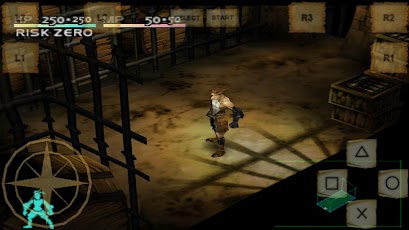
FPse v0.11.103


Description
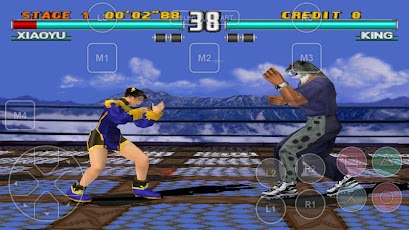
FPse for Android is the fastest and most compatible PSone emulator for handheld devices.(also known as PSX or Playstation 1)
More than 200.000 active users and rated up to 4,5 stars on google play!

FPse is able to render PSone games in high resolution by using OpenGL which gives outstanding graphics!
Take a look to the Official Documentation to understand requirements and how it works:
Create an ISO image from your favorite games and enjoy playing them on your Android phone.
FPse features the following:
-Impressive UI which scan and draw covers games automatically!
-High performance
-High compatibility
-High sound quality
-Real-time save states
-Audio track emulation (using .cue files)
-Force-feedback
-Dynamically loadable Overlay Pads
-Guncon emulation
-Analog Stick emulation
-Compatible with G-Sensor, Touchscreen and Hardware keys
-Supports .img, .iso, .bin, .cue, .nrg , .mdf and .Z disc image formats
-Full Support for IcontrolPAD, BGP100,Zeemote (via Bluez IME)
- Full native support for Xbox 360 pads, PS3 Sixasis pads and MOGA controllers!!
-OpenGL support via external plugin!
-Experimental LAN multi Players mode using two Android devices! Play with two players mode with games that wasn't made for that! IE: Tekken3!
-Exclusive automatic cheats search engine.
And much more impressive features!
From the new UI you can load and share covers and even compress games...
Changelog
FPse 0.11.103:
- Fixed somes freezes like in Tombraider series
- Fixed Original screen size calculation to be more precise
- Fixed Shortcuts features
- Fixed crash when application was waked up from background
- Fixed delete ISO from covers menu
- Fixed many unworking functions in menu since major clean code
NEW!! Official Fpse videos tutorial:
http://www.youtube.com/playlist?list=PLOYgJXtdk3G9PMkJYnm2ybONIi5-i_Iu5
Download
 

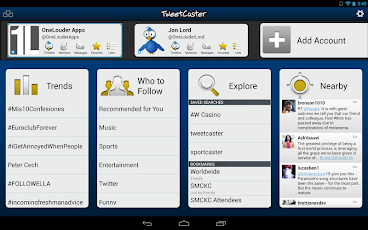
Tweetcaster Pro v7.5.1


Desription
TweetCaster has a gorgeous look with an intuitive interface that makes it super easy to use while packing in tons of features. Optimized for both phones and tablets, TweetCaster has been highly praised by users and reviewers.
Features:
* Multiple Twitter Accounts – Manage and easily post to multiple Twitter accounts
* Facebook – Simultaneously post to Twitter and Facebook
* Notifications – Get notified of new tweets, mentions, messages, or by specific user. Notifications are expandable and actionable on Android 4.1+
* Photo Effects – Add cool filters, effects and captions to photos, as you upload them
* Zip It – Zip annoying tweeters or keywords from your timeline without unfollowing
* Widgets – multiple widgets, including one that is scrollable and sizeable (Android 3.0+)!
* Themes – Twelve vibrant, colorful themes
* Sync between devices – Keep your place in the timeline across multiple devices and web using TweetCaster.com
* Smart Filter – Filter your timeline to look only at tweets with photos, links, videos, or hide retweets or replies
* Search Party – How Twitter search was meant to be! Lets you search just your own timeline, someone else’s, or all of Twitter.
* Smart Lists – The best way to use Twitter Lists, including robust list management and viewing tools
* My Stats – Up-to-the-minute tally of stats includes Most Retweeted, Most Mentioned, Most Favorited, & many more
* Photo previews – View previews and open photos from most image services, including Instagram
* Speak Tweets – Tap microphone on New Tweet screen to speak instead of typing
* Schedule Tweets – Compose a tweet and send later or send to Buffer
* Read Later – Save links to read/view later using Pocket, Instapaper, or Readability
* Streaming – Tweets are streaming in real-time when connect via WiFi
* Readability – View links in Readability mode for a mobile-optimized view
* Color Code Tweets –Color code your Tweets and mentions
* Long Tweets – Use Twitlonger to tweet over 140 characters
* Who to Follow – Suggests people to follow
Changelog
+ Fixed Twitter photo upload bug
+ Removed Interactions option due to Twitter API changes
+ Twipple image preview support
Download
 

TSF Shell v1.9.9.5.1


Description
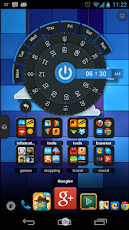
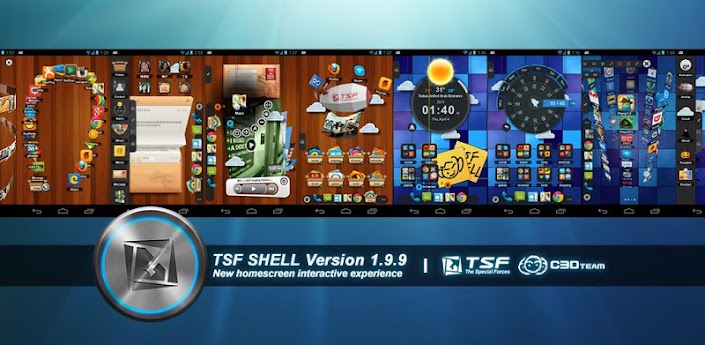
TSF Shell is a unique graphical user interface experience for Android 
OS. This premium home screen replacement allows for endless possibilities 
as you personalize your widgets and home screens. Say goodbye to the 
boring, traditional Android interface!
For more information about TSF Shell release history and to view the demo
of all versions please visit the following link:
http://www.tsfui.com/shell/release_history.html You really do need to see
this product in action to truly understand its unique capabilities!
Features:
========================
*Multiple operations such as auto-arrangement, multi-item selection, adding
to folder, and multi-deleting can be quickly done by only one finger
gesture.
*Folders can be utilitized in various ways.
*TSF Shell has an APP page (drawer) in addition to 4 home screens. You can
switch between homescreens by traditional swiping, or by utilizing the one
click switcher in the lower corner. When mastered, this gesture-like
homescreen switching becomes natural, and is much faster than swiping
across screens.
*Quickly create multiple app shortcuts and drag them to any page at once.
You can then distribute the app icons freely on the page, and can even
change the angles of the shortcuts. The arrangement and design is up to
your imagination!
*The side column provides access to most of TSF Shell's widgets, folders,
contacts, weater, settings, and other app shortcuts of your choice.
*Side column can be completely personalized with your own shortcuts, it can
also be auto-hidden (viewable by swipe gesture).
*Powerful theme function. In addition to stylistic changes, themes can even
allow for transistion animation changes.
Changelog
Version 1.9.9.5.1
1.Fixed losing shortcut issues.
Version 1.9.9.5
New ands Fixed:
1.Auto rotation / Independent layout for Landscape & Portrait Mode.
2.Unlimited folder capacity with interesting scrolling animation.
3.Customize the size of TSF Shell 3D widget.
4.Improve compatibility on the device with 1080P resolution or above.
5.Fixed known bug.
Download
 

Follow Us

About Us

We provide you with thousands of applications and games for Android
© Droid First All rights reserved | Theme Designed by Seo Blogger Templates